
USB-C charging
Charges via USB-C. Chances are you already have one — so we skipped adding another to help cut down on waste.
Packaging = dock
The box your Milu ships in doubles as their little dock. Decorate it with the included sticker sheet.
Milu app
Customize face, voice, and personality from your phone. iOS and Android.
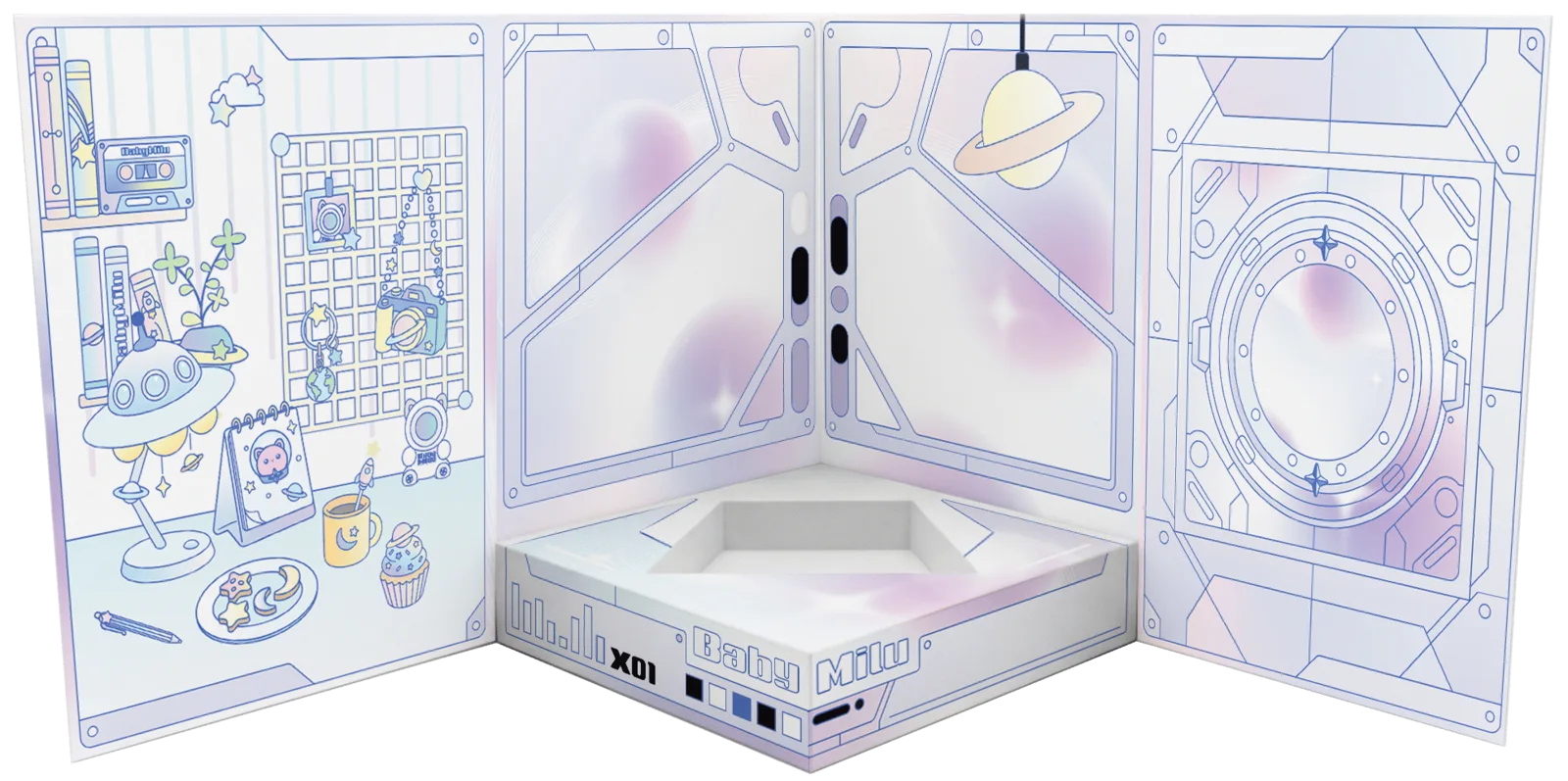
Their home is the box
Your Milu's packaging is also their little dock. We designed it that way on purpose — so there's no extra hardware to lose, and no landfill guilt.
Decorate your Milu's home with the included sticker sheet. Make it theirs.

USB-C. You already have one.
BabyMilu charges via USB-C. We decided to skip bundling a cable to help cut down on electronic waste.
Any USB-C cable and charger (5V / 1A minimum) will work.
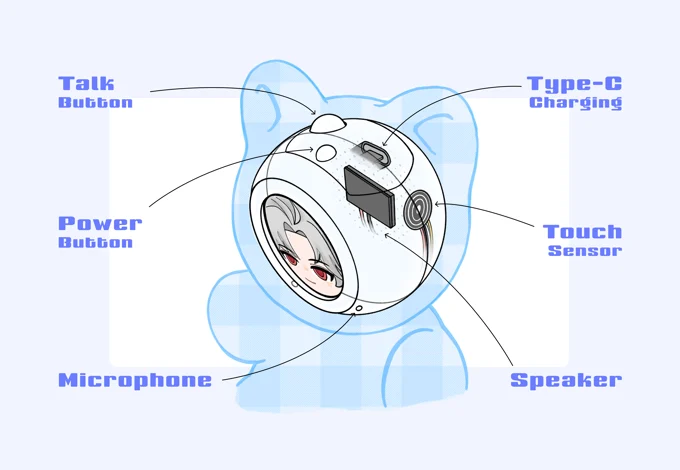
What's inside
A small screen for animated expressions, a speaker for voice, a microphone for conversation, and everything needed to run real-time AI conversations locally.
BabyMilu is about the same size as a Labubu.
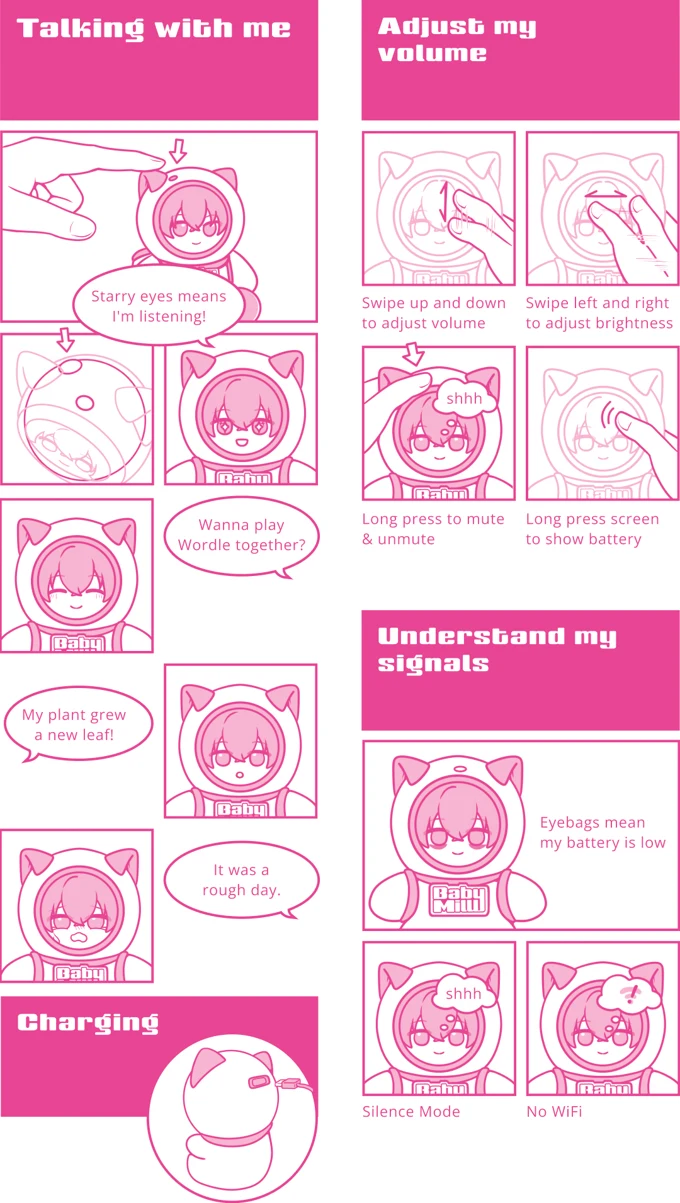
How to use your Milu
The full guide, drawn as a comic. Because why not.