



Connect BabyMilu to WiFi
Follow these steps to get your BabyMilu online ✨
Don't have the app yet? Download Milu here →
🎬
Video Tutorial
Watch the full setup walkthrough
🔵
Step 1
Turn On Bluetooth
1
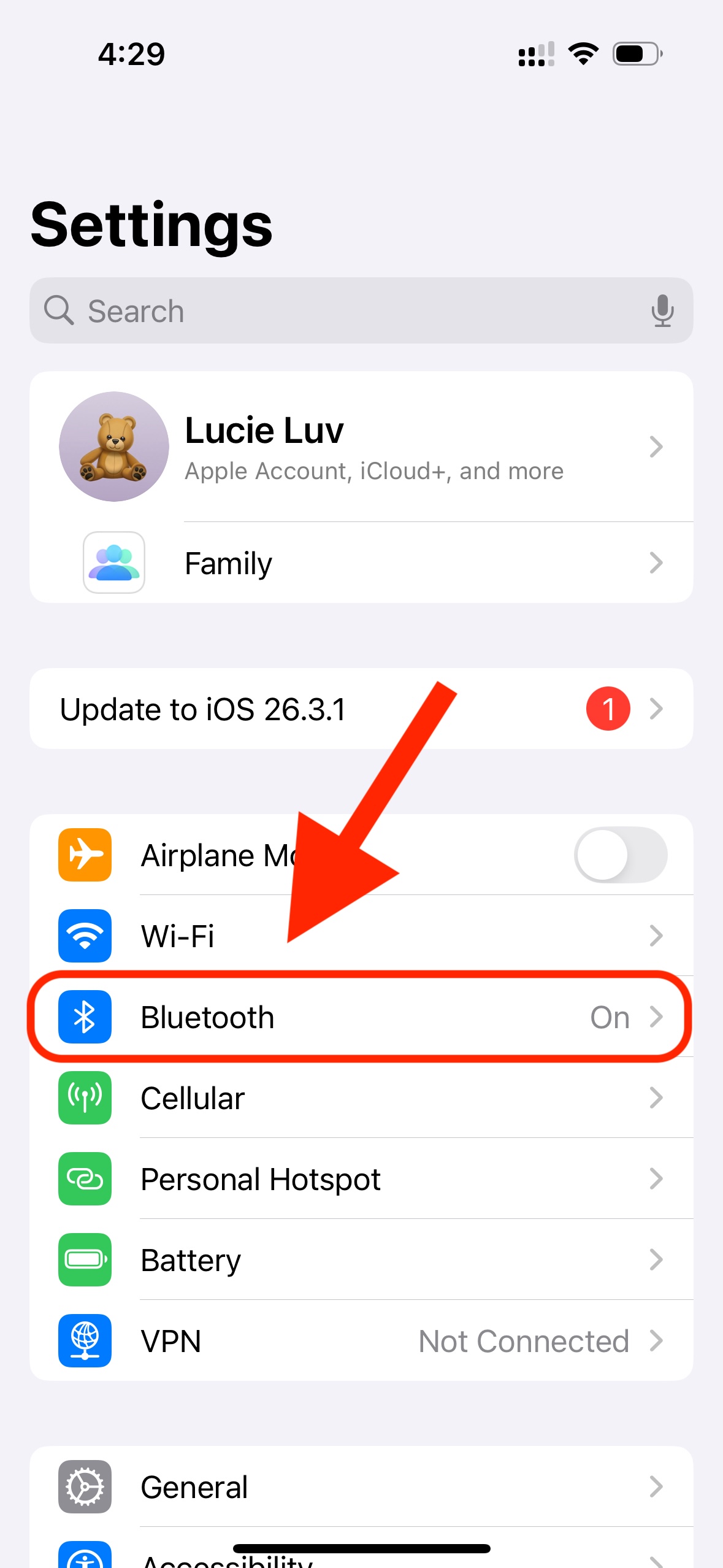
Step 1 of 2
In Settings, go into "Bluetooth"
2
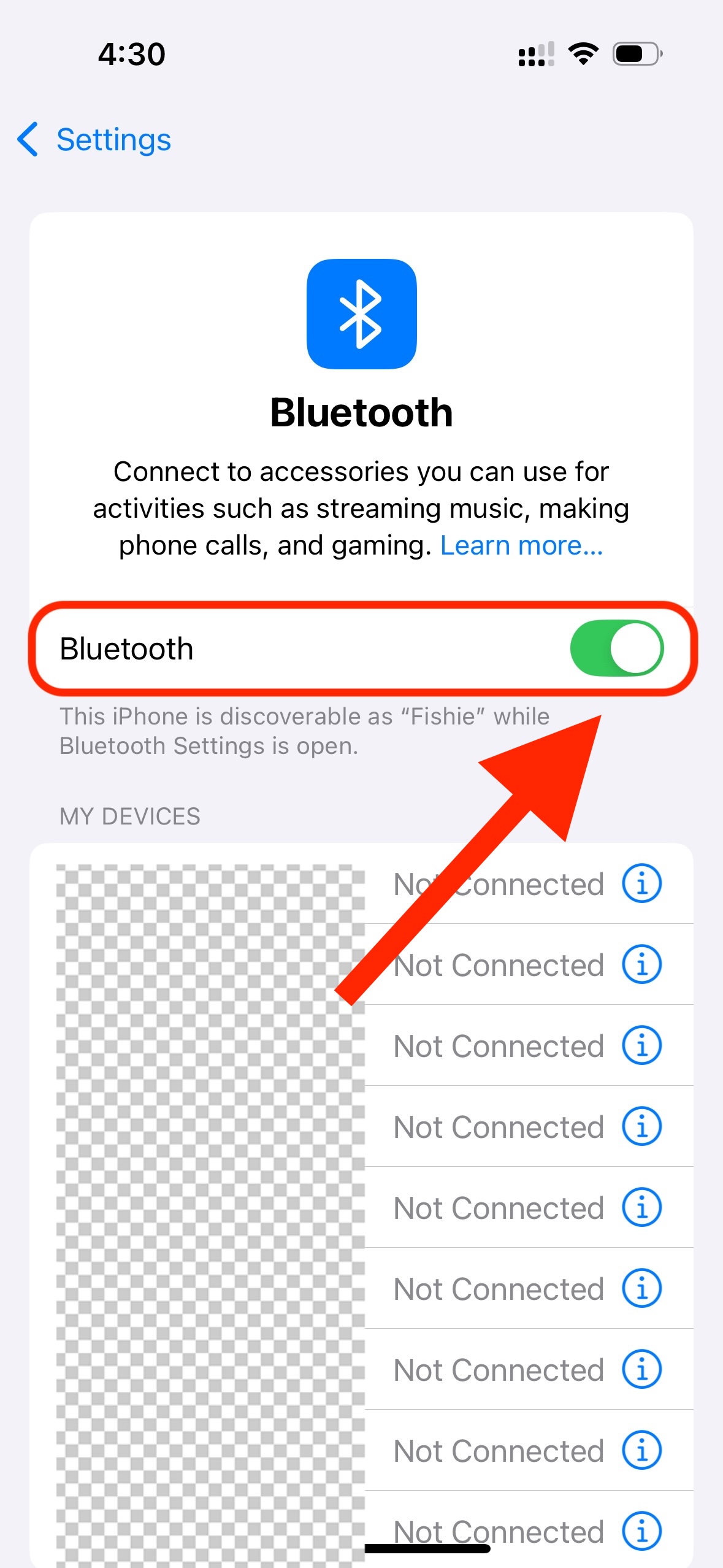
Step 2 of 2
Make sure Bluetooth is toggled to "On"
📱
Step 2
Enable Bluetooth for Milu
1
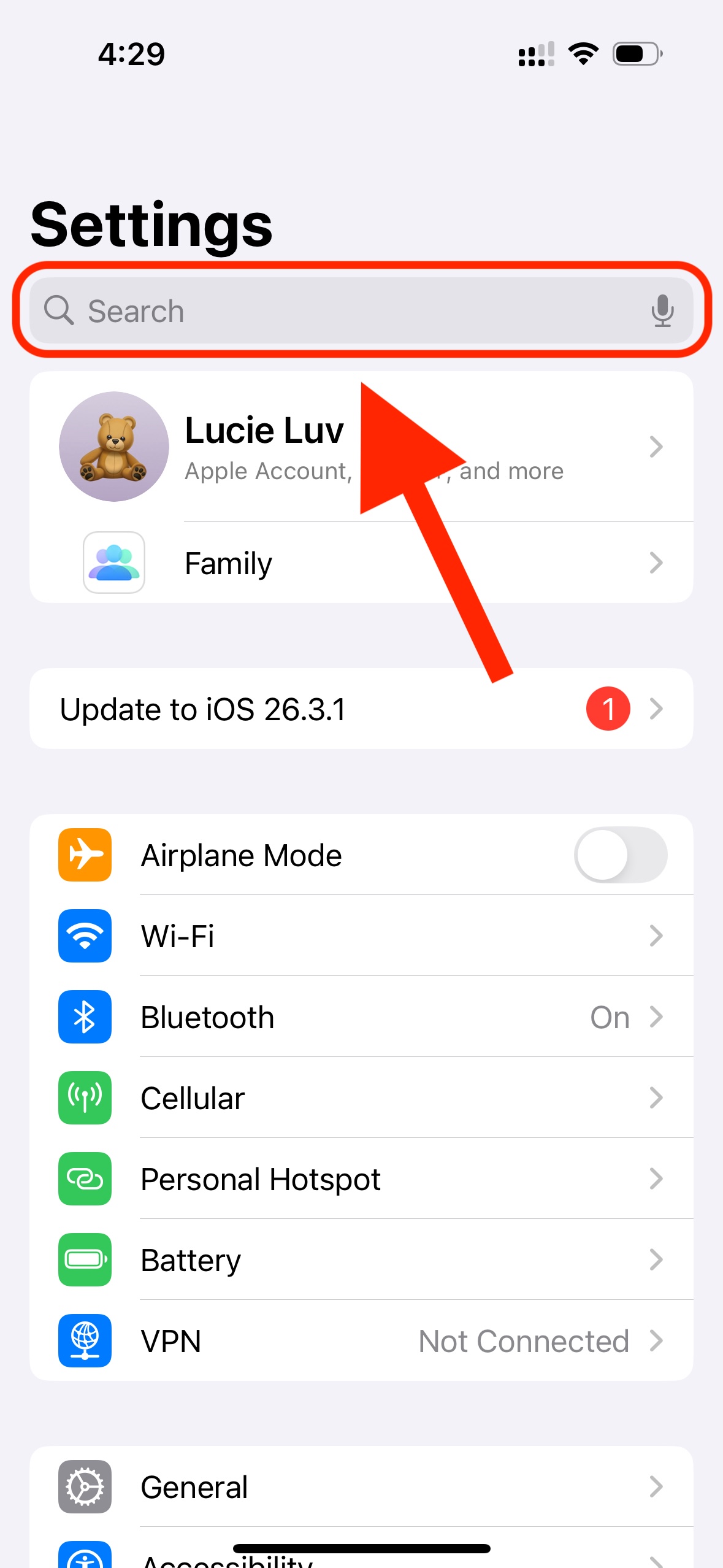
Step 1 of 2
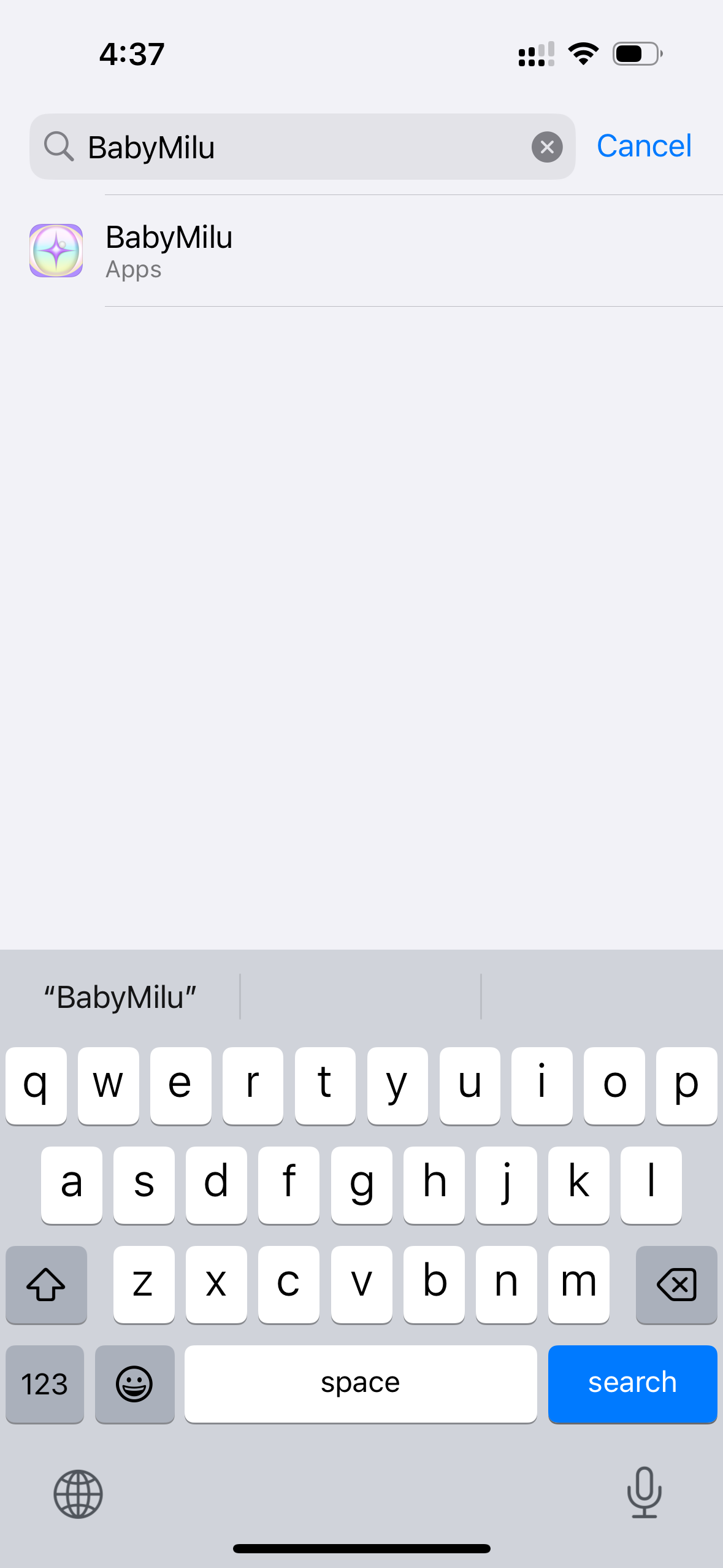
In Settings, search for "Milu" in the search bar at the top
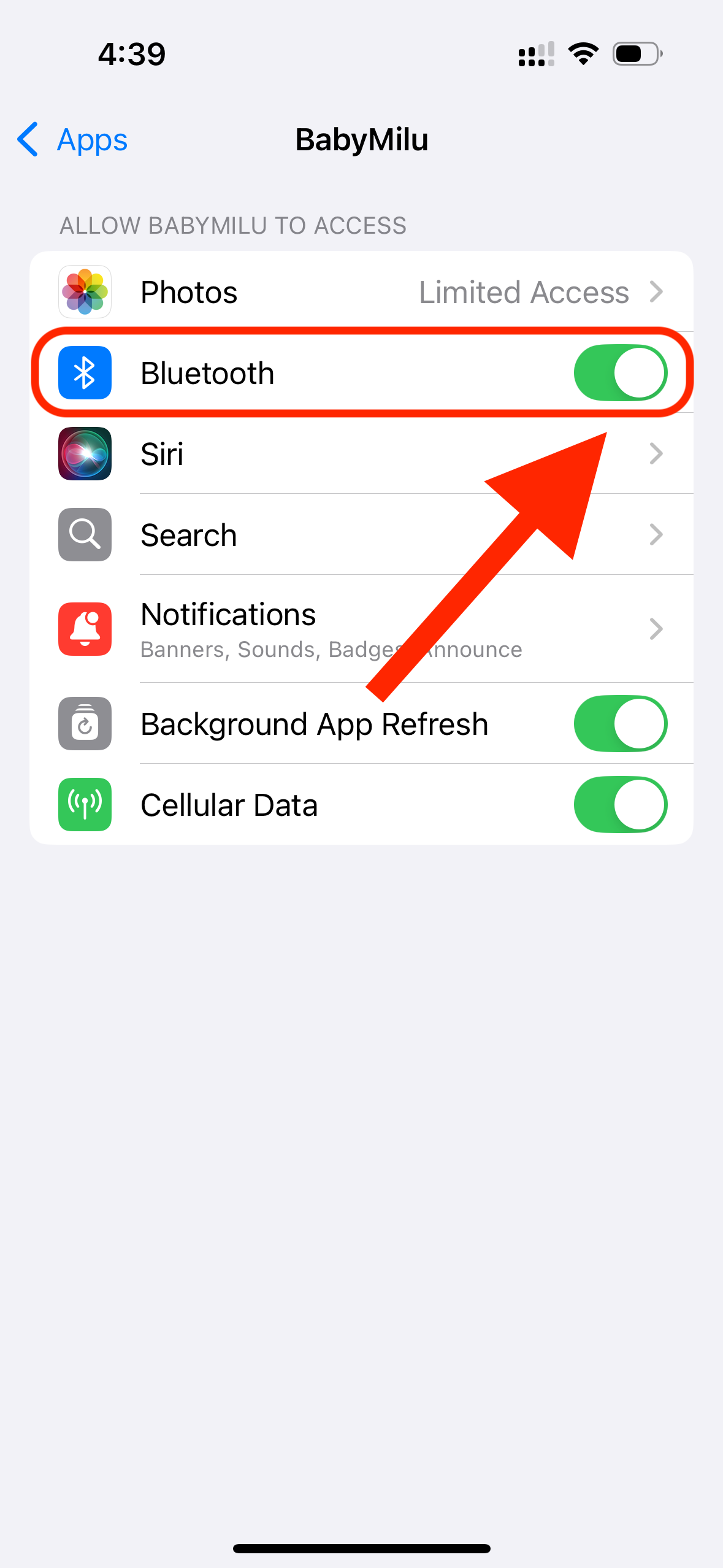
2
Step 2 of 2
Make sure Bluetooth is toggled to "On" here too — this allows the Milu app to use your phone's Bluetooth
📶
Step 3
Connect to a Network
Choose how you want to connect BabyMilu:
✅ No extra setup needed!
Open the Milu app, tap Connect BabyMilu, and follow the in-app steps to enter your home WiFi credentials.