
Follow these steps to get your BabyMilu online ✨
Don't have the app yet? Download Milu here →
Video Tutorial
Step 1
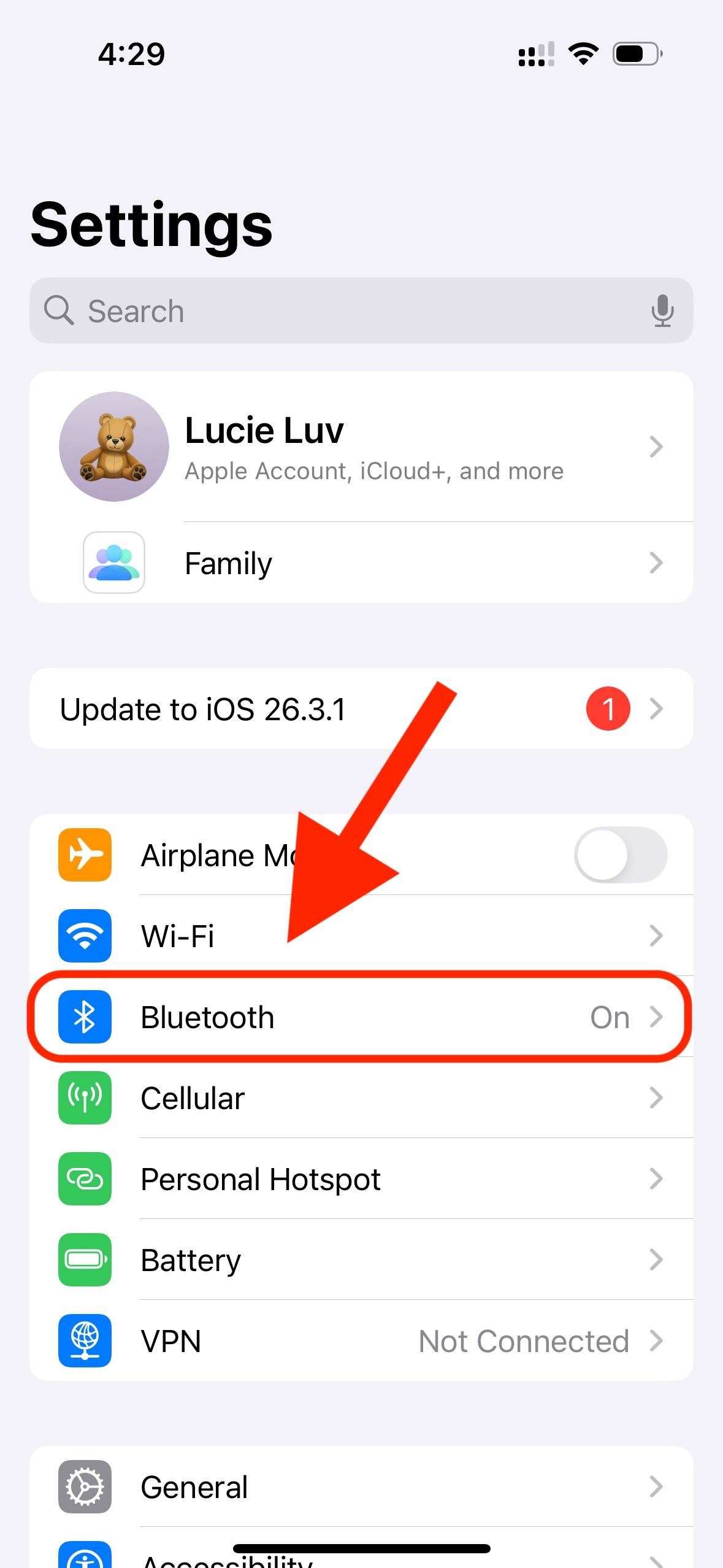
Step 1 of 2
In Settings, go into "Bluetooth"
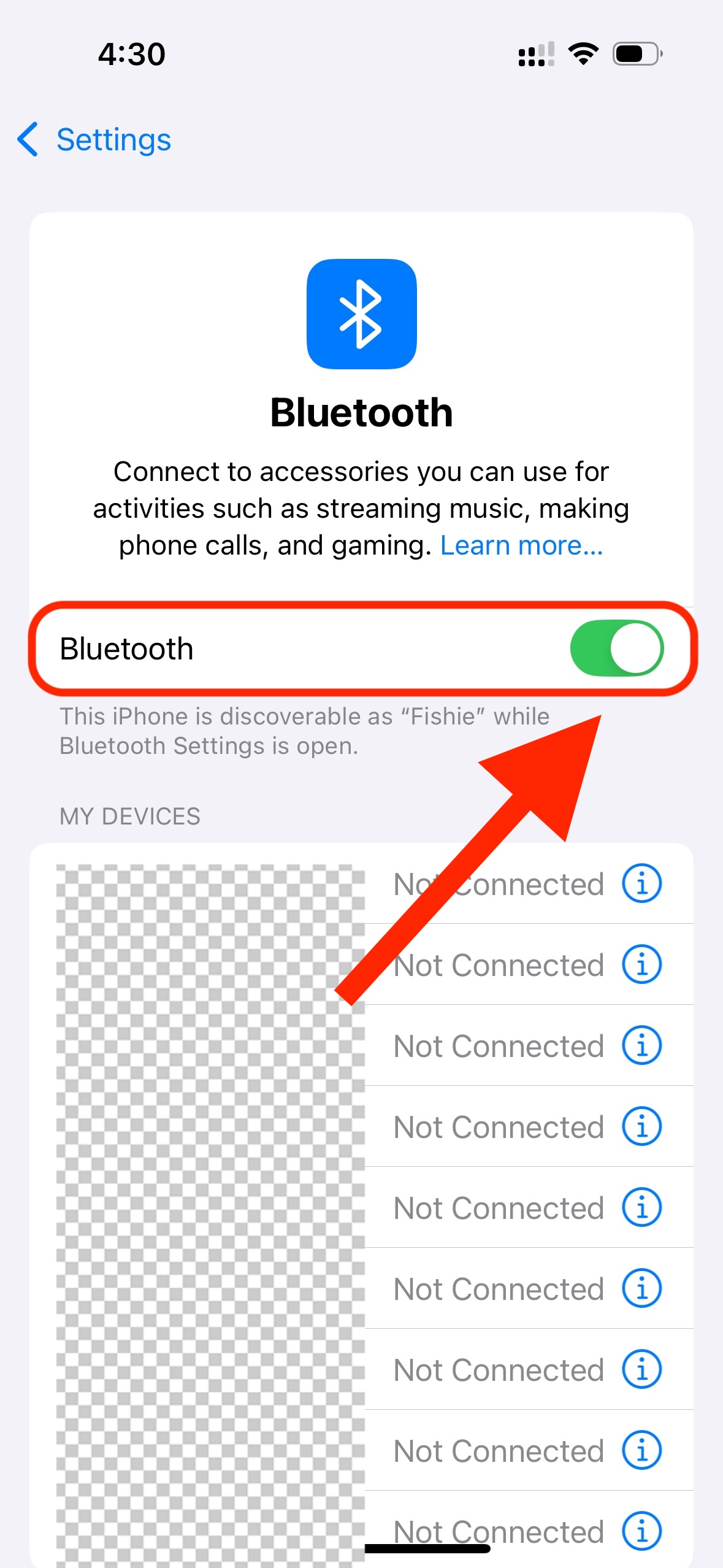
Step 2 of 2
Make sure Bluetooth is toggled to "On"
Step 2
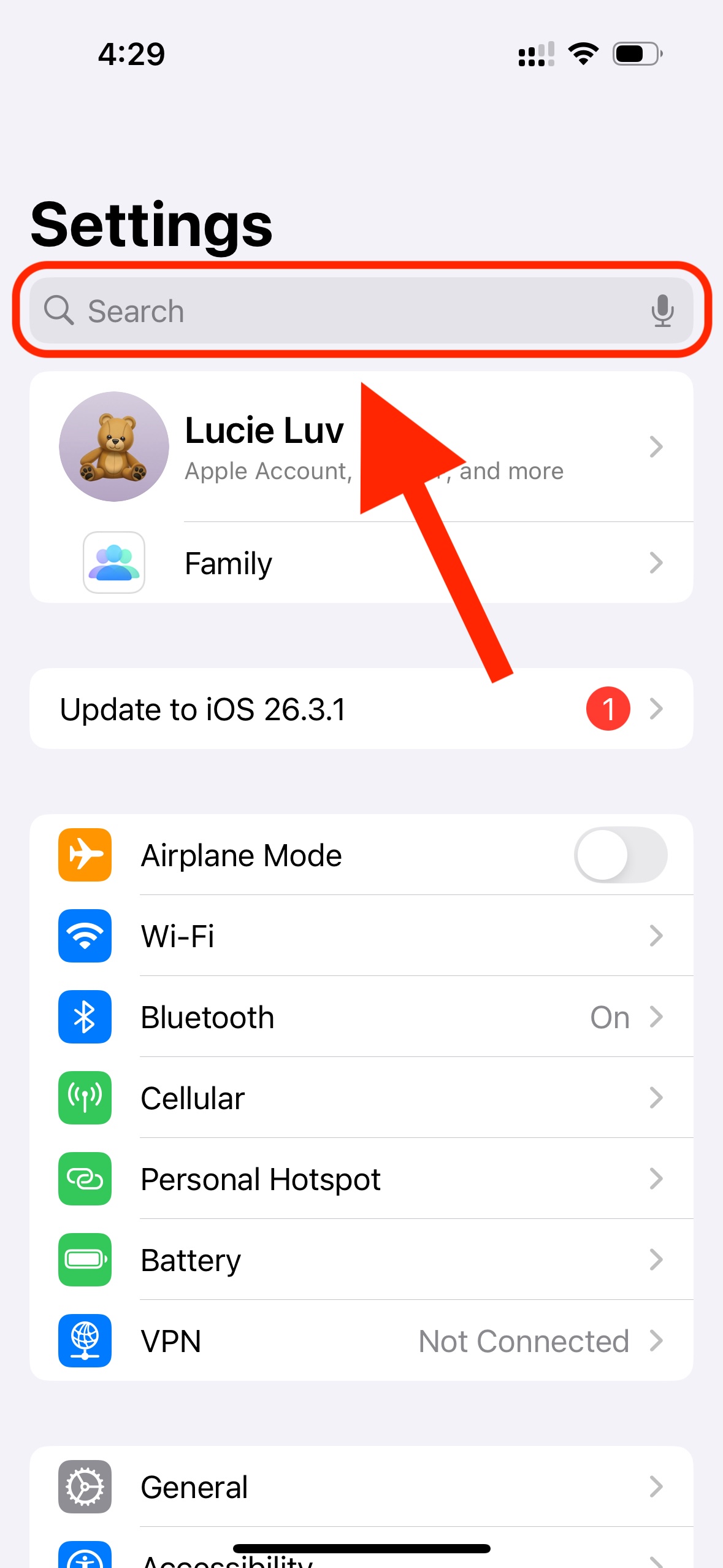
Step 1 of 2
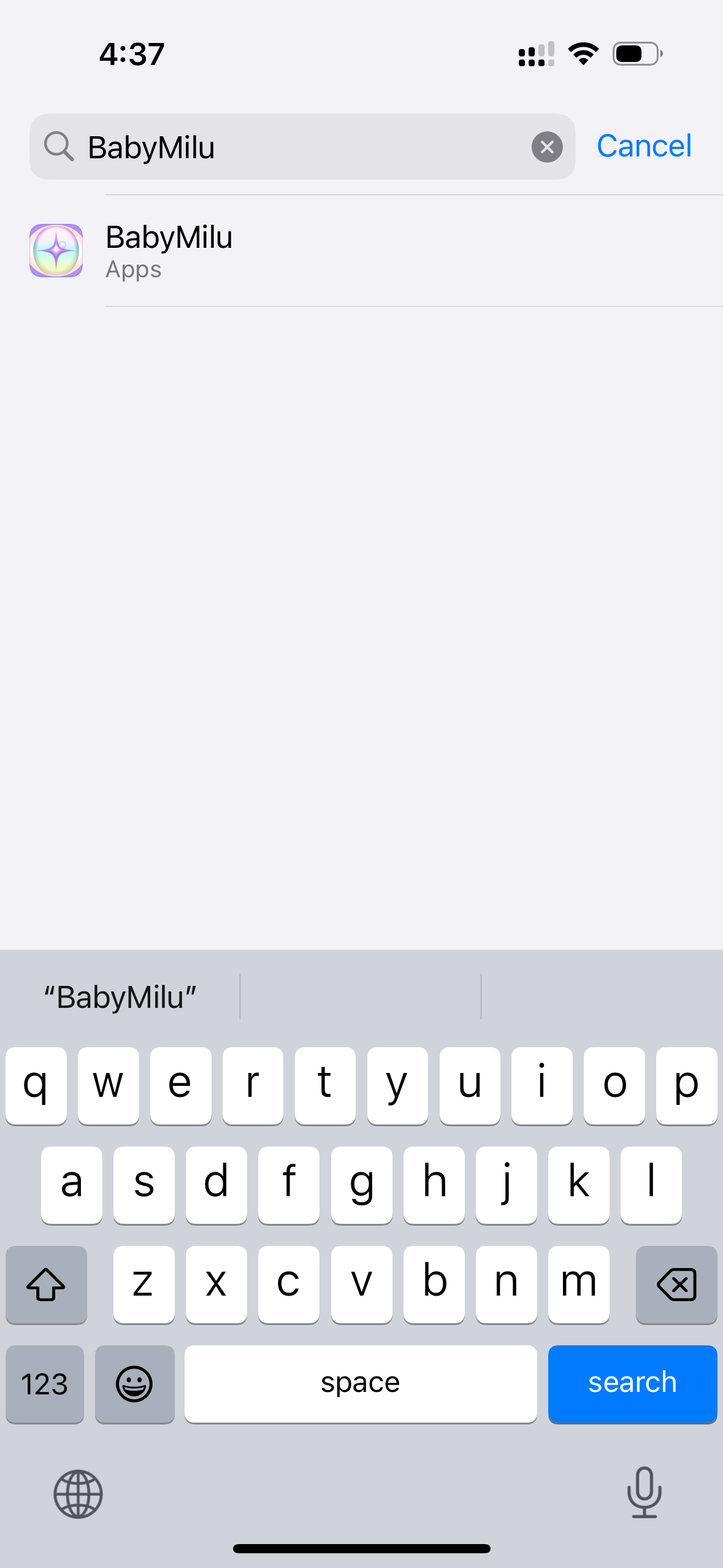
In Settings, search for "Milu" in the search bar at the top
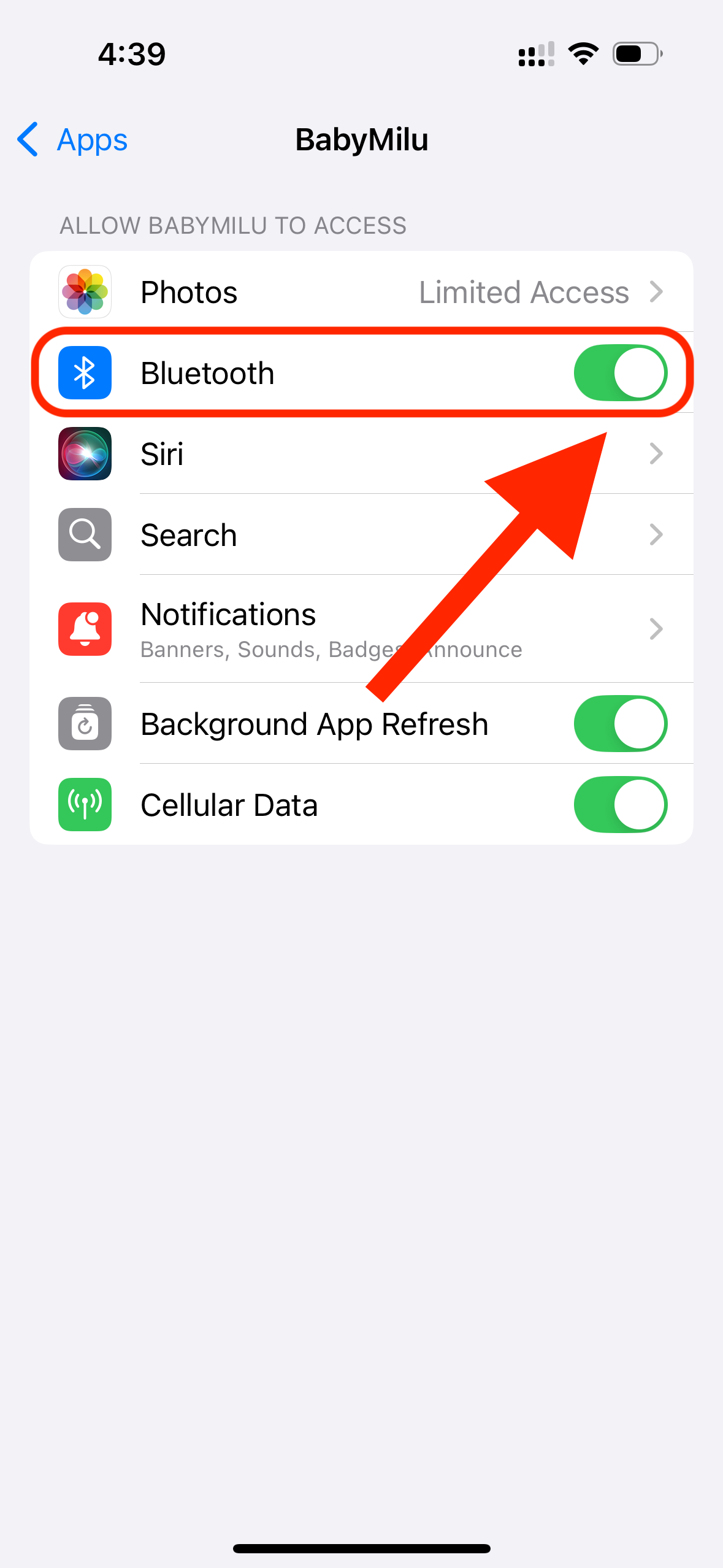
Step 2 of 2
Make sure Bluetooth is toggled to "On" here too — this allows the Milu app to use your phone's Bluetooth
Step 3
Choose how you want to connect BabyMilu:
✅ No extra setup needed!
Open the Milu app, tap Connect BabyMilu, and follow the in-app steps to enter your home WiFi credentials.